Hogar
»
Productos
»
Easy2Sync for Outlook
»
Capturas de pantalla
Espacio actualizado: May 18, 2012
Sumario
Características
Capturas de pantalla
Descarga
Ayuda + FAQ
Cómpralo ahora
Screenshots
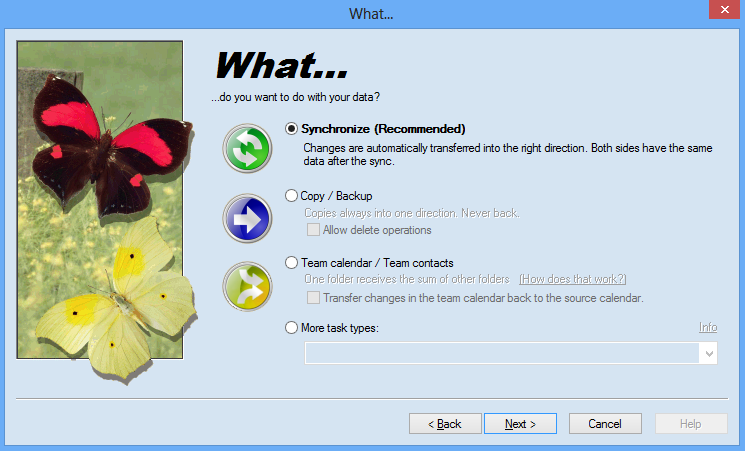
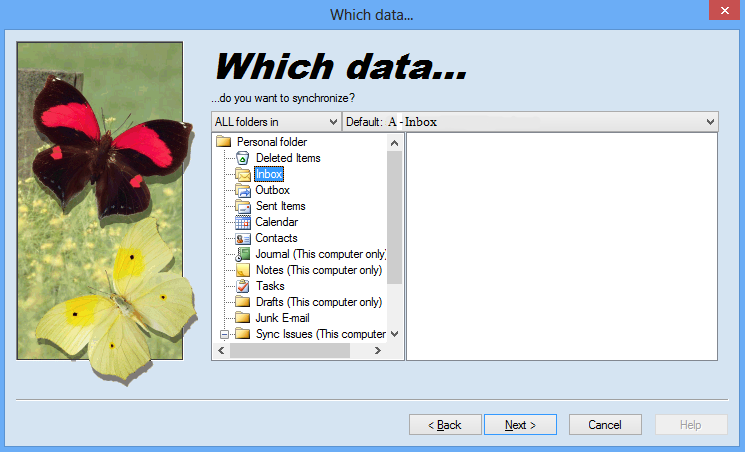
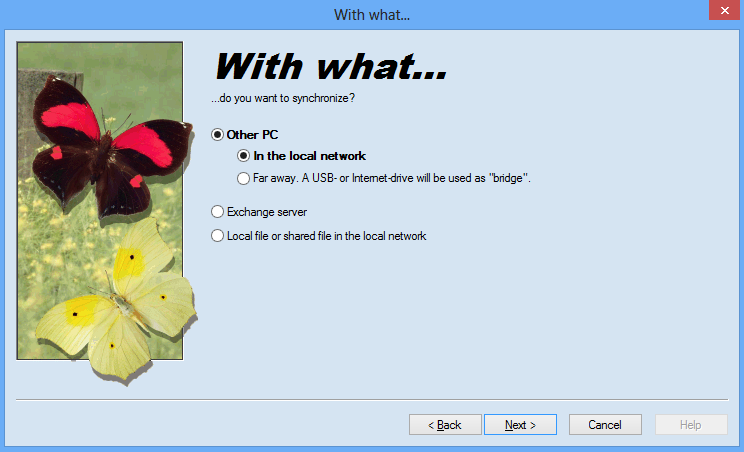
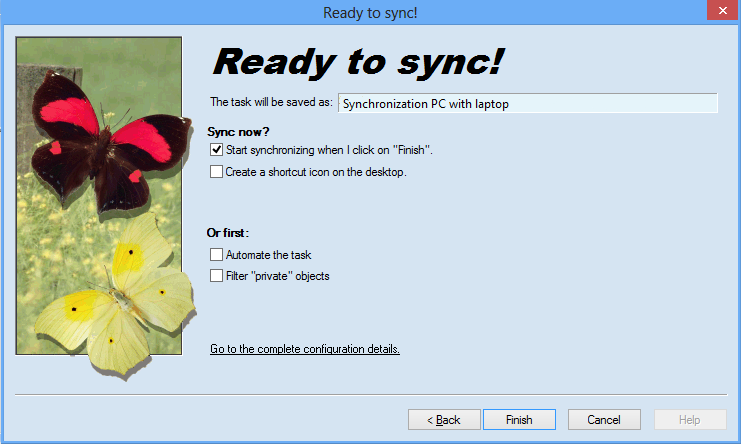
Here you can see how a new task is configured. You don't even have to know where your e-mails are stored. Move the mouse cursor over any screenshot to enlarge it or view more screenshots from these categories:
General
Features
All menus
Configuration
Task type
Choosing the data storage
The second computer
Special options
Download the Freeware Edition now »
Buy the Business Edition now! »
Sync Outlook
·
Synchronize Files
·
Sitemap
·
PAD
·
© 1999-2012 ITSTH
Productos
1-Click Duplicate Delete for Files
Eliminar Duplicados con 1 Clic para Outlook
Company Logo Designer
Easy2Sync for Files
Easy2Sync for Outlook
ReplyButler
TheBest Minimize to Tray
Comprar
Home-Edition
Business-Edition
Cuál edition?
as Easy2Sync-Bundle (-25%)
as Big Bundle (-35%)
Descarga
Demo
Registered version
Ayuda
Differences Easy2Sync for Files / Outlook
Questions about the Freeware Edition
Can the software...
System requirements / Network
Advanced questions
Compra & Descarga
Forgot registration key
Contacto
Contacto
Sobre ITSTH
Press
Newsletter & Blog
Otras cosas
Español (change)
Deutsch
English