Home»Products»Easy2Sync for Outlook»OverviewWebsite updated: Apr 25, 2024
Compatible
 | to Windows 11, 10, 8.1, 7, Vista, 2003 (All combinations) Outlook 2021, 2019, 2016, 2013, 2010, 2007, 2003, 2000 Intel/AMD, not ARM, not One/Monarch Exchange, Microsoft 365 (Office 365) (All combinations) |
Customer Rating
1103 ratings for Easy2Sync for Outlook with an average of 4.66:

References
Boeing, IBM, Intel, Microsoft & NASA are using Easy2Sync.
More >
“Hi, firstly, I would like to extend my thanks for producing a first class piece of software.”
Paul Fisher, IMAtechie UK
“I just want to say that I have been looking for a program to do this for over two years now and I am so excited to finally have something that works. This is fantastic! Thank you for creating this program!”
Tracey Miles
More >
More >
“Hi, firstly, I would like to extend my thanks for producing a first class piece of software.”
Paul Fisher, IMAtechie UK
“I just want to say that I have been looking for a program to do this for over two years now and I am so excited to finally have something that works. This is fantastic! Thank you for creating this program!”
Tracey Miles
More >

Sync Exchange server
With Easy2Sync for Outlook you can synchronize not only Outlook, but also an Exchange server account with Outlook. (Or even accounts from two different Exchange servers.) Of course, you can filter by age, category, folder, subject or private flag.public <=> private
Some mobile phones are limited to sync certain hard-coded folders. Easy2Sync can't replace the mobile sync, but it can sync any two folders you want. For example you can sync a public calendar folder with a user's private calendar folder. This can help you get the the current data into your mobile phone (and changes back to the desktop).
Exchange A <=> Exchange B
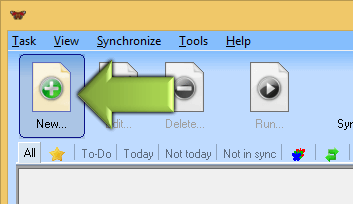
With Easy2Sync for Outlook you can also synchronize accounts (complete or only selected folders) that are on 2 different Exchange servers. For this simply create one profile (Start > Control panel > Mail > Profile) for each account. Then start Easy2Sync, create a new task and select these profiles.
Synchronizing within an Exchange server
You can synchronize data within an Exchange-server (incl. public folders), even within one account (between two folders). If you want, you can of course synchronize between an Exchange server and a normal Outlook with a PST file. Everything is possible, even combinations between different Exchange or Outlook versions are no problem.
Filtering the sync
You can configure what Easy2Sync will see during the synchronization. Filter the sync by age, category, folders, private and subject and the software will see the only the entries that match your choice. For example because not all employees need all contacts. With this method you can protect your key accounts.
Exchange sync by category
Outlook allows you divide all objects into categories. For example 'Team A' and 'Team B'. And with this you can filter in Easy2Sync for Outlook. Synchronize only that part of the Exchange server that 'Team A' needs.
Please see the Exchange FAQ for more information.
<< Back to Outlook synchronize (General)
 Download the Freeware Edition now »
 License the Business Edition now »
Sync Outlook ·
Synchronize Files ·
Sitemap ·
PAD ·
EULA · Uninstall · Mobile version ·
© 1999-2024 ITSTH